Top CX File Explorer Alternatives in 2025
If you’ve been using CX File Explorer for a while, you probably know why it’s so popular — it’s fast, lightweight, and packed with useful tools. But with recent concerns about data privacy, limited updates, and better apps entering the market, many users are now looking for trusted CX File Explorer alternatives in 2025. The good news? There are plenty of modern file managers that deliver the same smooth experience — and even more.
We get it — choosing a new file manager app can be confusing. You want something secure, feature-rich, and easy to use file manager without annoying ads or privacy risks. As tech enthusiasts and long-time Android users, we’ve tested dozens of options to help you find safe and reliable CX File Explorer replacements that truly work in 2025. Each recommendation here is tested for performance, cloud sync, and privacy so you can install with confidence.
Best CX File Explorer Alternatives in 2025
Finding the right CX File Explorer alternative in 2025 means focusing on apps that balance speed, privacy, and usability. Each option below has been tested for performance, stability, and compatibility with modern Android versions. Here’s a closer look at the best file managers worth trying this year.
Files by Google
Files by Google is one of the most trusted and user-friendly file manager apps available today. Designed by Google, it focuses on clean interface, smart storage suggestions, and secure file sharing. It’s perfect for users who prefer simplicity and reliability without unnecessary extras.
| Pros | Cons |
|---|---|
| Easy to use and ad-free | Limited advanced features |
| Smart cleanup suggestions | No dual-pane mode |
| Deep Google Drive integration | Lacks full root access |
Solid Explorer
Solid Explorer is a premium-grade file manager known for its dual-pane layout and strong encryption features. It’s ideal for power users who value customization and security. The app supports cloud storage, FTP, and ZIP management, making it a versatile pick for 2025.
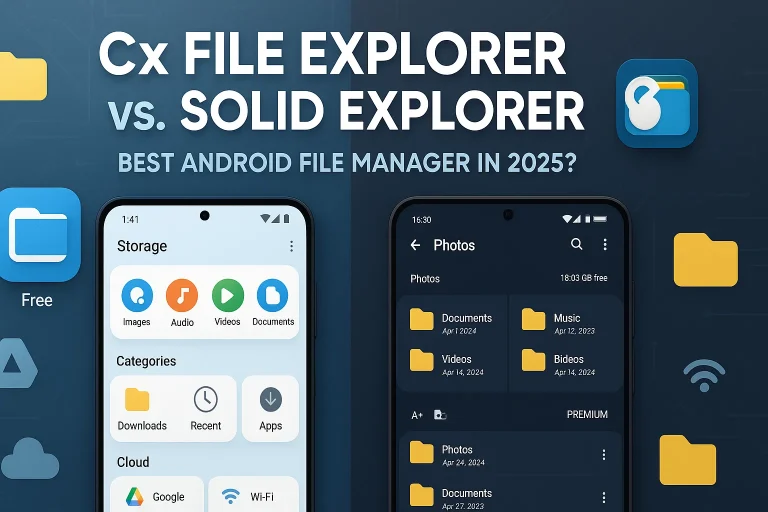
Read: Cx File Explorer vs. Solid Explorer: Best Android File Manager
| Pros | Cons |
|---|---|
| Modern interface with themes | Paid after trial |
| Strong AES encryption support | Slightly heavier on older phones |
| Supports multiple storage sources | Requires setup for cloud sync |
FX File Explorer
FX File Explorer is a great CX File Explorer replacement offering a clean, ad-free experience with powerful network management tools. It excels in file transfers, root access, and privacy. Users appreciate its modular design, allowing them to add only the tools they need.
| Pros | Cons |
|---|---|
| No ads or trackers | Interface feels dated to some |
| Advanced networking and root features | Fewer cloud services |
| Customizable add-ons | Paid add-ons for advanced tools |
MiXplorer Silver
MiXplorer Silver is a top-tier file manager for Android power users. It combines professional-level file handling, FTP/SMB support, and multi-tab browsing. Though it’s a paid app, its smooth performance and zero ads justify the cost for serious users.
| Pros | Cons |
|---|---|
| All-in-one functionality | Paid app only |
| Ad-free with strong customization | Steeper learning curve |
| Excellent for advanced file operations | Interface may overwhelm beginners |
File Commander
File Commander has been around for years and continues to evolve with cloud connectivity, file conversion, and secure vault features. It’s a good choice for those who want an all-rounder with modern integration tools.
| Pros | Cons |
|---|---|
| Cloud storage and PC file access | Ads in the free version |
| Built-in file converter | Interface can feel cluttered |
| Secure mode for private files | Some features locked behind premium |
Amaze File Manager
Amaze File Manager is an open-source and lightweight Android file explorer perfect for users who value privacy and minimal design. It’s free, easy to navigate, and supports all basic file operations with no ads or tracking.
| Pros | Cons |
|---|---|
| 100% free and open-source | No cloud integration |
| Lightweight and fast | Limited advanced tools |
| Simple Material Design UI | Lacks frequent updates |
Total Commander
Total Commander remains a powerful and trusted file manager for advanced Android users. It may not have the flashiest design, but it’s unbeatable for managing root files, FTP connections, and local storage with precision.
| Pros | Cons |
|---|---|
| Reliable and extremely stable | Outdated UI |
| Root support and plugins available | Steep learning curve |
| Excellent for advanced users | Not beginner-friendly |
Astro File Manager
Astro File Manager is known for its clean interface and solid cloud integration. It’s perfect for users who want simple navigation and file compression tools without technical complexity.
| Pros | Cons |
|---|---|
| Easy navigation and organization | Occasional ads |
| Cloud backup support | Lacks root functionality |
| Great for everyday users | Limited customization |
X-plore File Manager
X-plore File Manager is a dual-pane Android file manager that gives you a full overview of your storage. It’s perfect for multitasking, file transfers, and exploring complex directory structures. The built-in Wi-Fi file sharing and app management tools make it a powerhouse choice.
| Pros | Cons |
|---|---|
| Dual-pane layout for multitasking | Interface can feel dense |
| Excellent file transfer options | Slight learning curve |
| Supports cloud and network drives | Not ideal for casual users |
Related Blogs:
Which CX File Explorer Alternative Should You Choose?
Choosing the right CX File Explorer alternative really depends on how you use your phone every day. If you prefer a clean and secure experience, Files by Google is the safest bet for most users. Power users who need advanced options like cloud integration, encryption, and dual-pane browsing might find Solid Explorer or MiXplorer Silver more capable. For anyone who values simplicity, Amaze File Manager is lightweight and privacy-focused, while X-plore File Manager caters to those who enjoy total control over their storage. The key is to match your needs—whether it’s speed, security, or customization—with an app that genuinely enhances your workflow. After testing multiple Android file manager apps through real use, these stand out as reliable, well-maintained, and future-ready choices for 2025.
Conclusion
In 2025, the world of file manager apps is richer than ever, giving users plenty of reliable CX File Explorer alternatives to choose from. We’ve explored the best options that balance privacy, performance, and usability—from lightweight tools like Files by Google to advanced powerhouses such as Solid Explorer and MiXplorer Silver. Each of these apps brings its own strengths, ensuring you’ll find one that perfectly fits your daily needs.
When it comes to selecting the right Android file manager, there’s no one-size-fits-all solution. Some users value a simple interface and smooth navigation, while others need cloud support, encryption, or root access for deeper control. The best approach is to test a few and see which app feels the most intuitive for your workflow. The goal isn’t just managing files—it’s making your digital life easier and more secure.
If you’ve tried any of these CX File Explorer replacements, we’d love to hear your experience in the comments. Share which app worked best for you or what you’re still looking for in a file explorer. And if you’re unsure which one suits your needs, don’t hesitate to ask—we’re here to help you make the right choice confidently.